

Free Tool RouterMap Shows UK Homes the Best Place to Put a Wi-Fi Router

RouterMap, the free Wi-Fi router placement checker from BroadbandSwitch.uk, shows the signal room by room and finds the best spot for the router. Free, with no sign-up, at routermap.co.uk. Illustration: BroadbandSwitch.uk
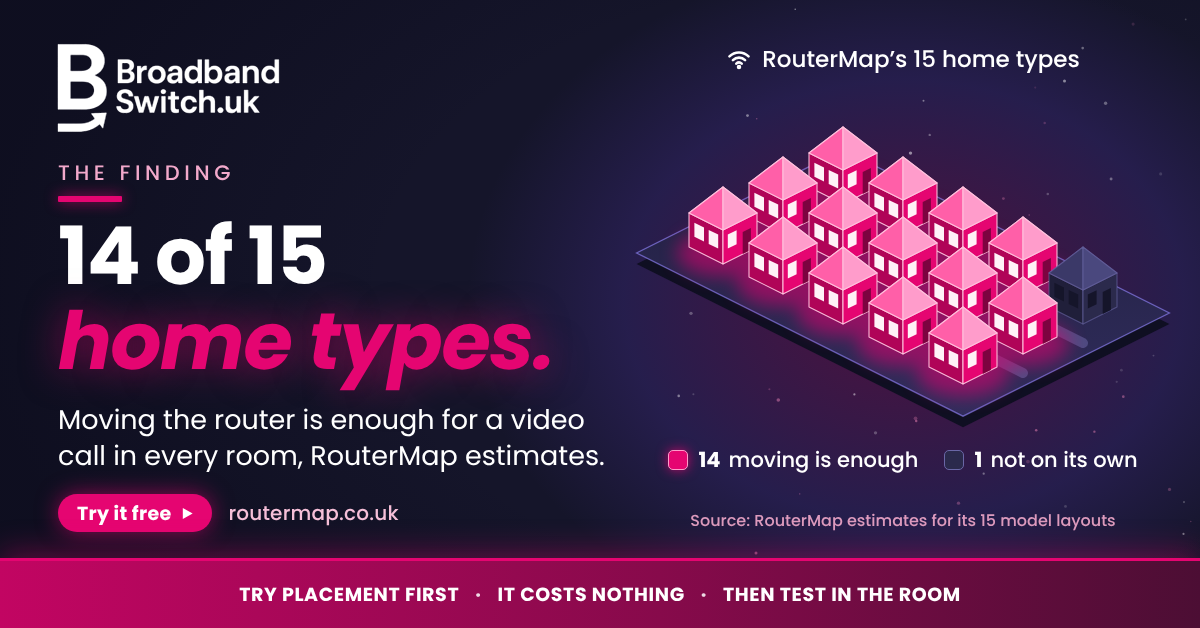
In 14 of the 15 UK home types in RouterMap, putting the router in the best spot is enough on its own for a video call in every room, the tool estimates. Try it free at routermap.co.uk. Illustration: BroadbandSwitch.uk

Ofcom's advice on where to put a Wi-Fi router: central, off the floor, away from other electrical equipment and with the aerials pointing in different directions. AI-generated illustration. Read the full guide at broadbandswitch.uk
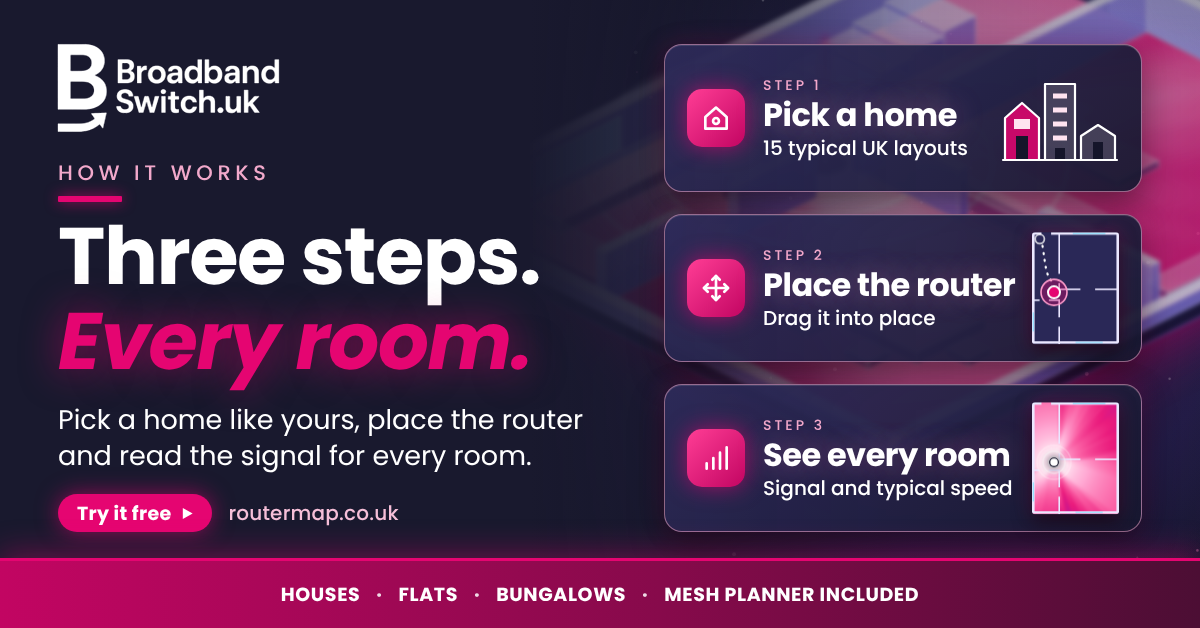
How RouterMap works in three steps: pick one of 15 typical UK homes, place the router or let the tool find the best spot, then read the signal and a typical speed for every room. Free at routermap.co.uk

Wi-Fi or the broadband line? Test by cable at the router, then over Wi-Fi in the room that struggles. If the line is slow, speak to the provider and check what is available at broadbandswitch.uk. Availability and prices vary by postcode and by provider
RouterMap, a free checker from BroadbandSwitch.uk, estimates that moving the router is enough for a video call in every room in 14 of its 15 UK home layouts.
The tool went live in September 2026 and covers 15 typical UK homes, from a Victorian terrace to a dormer bungalow. In 14 of those 15 layouts, putting the router in the best position is enough on its own to bring every room up to a standard that holds a video call, according to the tool's own estimates (Martin-Smith, 2026a). Moving a router can cost nothing.
RouterMap is free to use, with no sign-up, at https://routermap.co.uk
What is RouterMap?
RouterMap is a free tool, used in a web browser, that estimates how strong the Wi-Fi signal is in each room of a home and how that changes when the router moves (Martin-Smith, 2026a). There is nothing to install and no account to create. It runs entirely in the browser, nothing about the home is sent anywhere, and the last plan a user looked at is kept on their own device.
How does RouterMap work?
It works in three steps. The user chooses a home, places the router and reads the result for every room. There are 15 homes to choose from:
- Houses: Victorian terrace, three-bed mid-terrace, three-bed end-terrace, 1930s semi-detached, semi with a rear extension, four-bed detached, large five-bed detached and three-storey townhouse
- Flats: one-bed flat, two-bed flat, large three-bed apartment, converted flat and maisonette
- Bungalows: three-bed bungalow and dormer bungalow
Each layout can be adjusted. Users can set the floor area and width, say whether internal doors are usually shut, choose the broadband speed they pay for and allow for neighbours' Wi-Fi. The router can sit at one of four heights. The plan redraws as the router is dragged around it, and a table lists the signal and a typical speed for each room.
A button marked "Find the best spot" searches the home for the strongest position. It can be told to suggest only places a cable can reach (Martin-Smith, 2026a).
Why does router position matter?
Gigabit-capable broadband was available to 89% of UK homes in January 2026 (Ofcom, 2026). The speed that reaches a back bedroom still depends on the Wi-Fi inside the home, and Wi-Fi signals weaken as they pass through objects, with some materials blocking more than others (Ofcom, 2024).
RouterMap's guidance says a longer cable to a better position costs a few pounds and is very often the entire fix. With full fibre, the box on the wall is fixed, but the router can still be moved using an Ethernet cable (Martin-Smith, 2026a).
Where is the best place for a Wi-Fi router?
Ofcom, the UK communications regulator, advises placing the router centrally in the home and off the floor, for example on a shelf (Ofcom, 2024). It also advises keeping the router away from other electrical equipment, such as microwave ovens and baby monitors, and pointing the aerials in different directions if the router has more than one (Ofcom, 2024).
RouterMap lets a household see that advice at work in a home shaped like its own. The tool ranks four things that matter, in order:
- How central the router is
- How high it is
- What is next to it
- What is between it and the rooms in use
Large metal objects near the router make a measurable difference, the tool's guidance says. It lists a fridge, a washing machine and a wall-mounted television among them. It also singles out the inside of a media unit behind the television as one of the worst spots in a living room (Martin-Smith, 2026a).
"Most of us never think about where the router goes. It gets put where the cable comes in and that is that," said Dr Alex J. Martin-Smith, founder of BroadbandSwitch.uk, who wrote and built the tool. "Moving it a couple of metres, or just getting it up off the floor, costs nothing. So try that first, before you buy extenders or anything else. I wanted people to be able to see the difference before they start unplugging things."
Is it the Wi-Fi or the broadband?
Wi-Fi is not always the cause of a slow connection, and a Wi-Fi connection will never outperform the broadband service that feeds it (Ofcom, 2024). BroadbandSwitch.uk's full guide to the best router position in a UK home sets out a simple test (Martin-Smith, 2026c). It suggests plugging a laptop into the router with an Ethernet cable and running a speed test at https://broadbandswitch.uk/broadband-speed-test.html, then running a wireless test on the same device in the room where the Wi-Fi feels worst.
- If the wired result is close to the package speed and the wireless result is a fraction of it, the line is fine and the Wi-Fi is the place to start.
- If both results are well below the package speed, the line is the limit, and it is time to speak to the provider.
Does RouterMap plan mesh Wi-Fi?
Yes, and its advice is to try placement first. Where one router cannot cover a home, the tool works out how many mesh units are needed and where each should go. It then offers to place them on the plan, so the result can be seen before any money is spent (Martin-Smith, 2026a).
The tool suggests putting a mesh unit between the router and the problem room, not in the weak room itself. A single-radio extender passes on roughly half of what it hears, while a unit wired back to the router with an Ethernet cable has no such penalty (Martin-Smith, 2026a).
How accurate is RouterMap?
RouterMap gives estimates for a typical home of each shape. It is not a survey of any one house, and the tool says so. The layouts are drawn to floor areas consistent with English Housing Survey averages for each type of dwelling, and the estimates assume an older Wi-Fi 5 hub as the starting router (Martin-Smith, 2026a, 2026b).
A methodology page sets out the working and its limits. The model follows the multi-wall approach of COST Action 231, a European research programme (Martin-Smith, 2026b). It is site-general in the sense used by the International Telecommunication Union's recommendation on planning indoor radio systems (International Telecommunication Union, 2025). That means it knows the class of a wall and not the wall itself. It does not represent foil-backed plasterboard, underfloor heating mats or chimney breasts, any of which can shift a room's result (Martin-Smith, 2026b).
For that reason the tool asks users to check its estimate with a speed test in the actual room. Readings from two or three rooms can be entered, and the model then adjusts to fit that house in place of a typical one (Martin-Smith, 2026a).
Who made RouterMap?
RouterMap was written and built by Dr Alex J. Martin-Smith and reviewed by Adrian James, Broadband Editor at BroadbandSwitch.uk. It was published on 3 September 2026, and the current release is version 1.2.0, dated 11 September 2026.
RouterMap at a glance
- Price: free, with no sign-up
- Homes: 15 typical UK layouts, covering houses, flats and bungalows
- Result: the signal and a typical speed for every room
- Best spot: found by the tool, with an option to keep to places a cable can reach
- Mesh: how many units a home needs and where each should go
- Privacy: runs in the browser, and nothing about the home is sent anywhere
- Method: published in full, with its sources and limits
- Made by: Dr Alex J. Martin-Smith, reviewed by Adrian James
What if the broadband line is the problem?
Moving the router improves the Wi-Fi. It cannot add speed that the line does not deliver. If the wired test is well below the package speed, the provider is the first call. The postcode checker at https://broadbandswitch.uk then shows what else is available at an address, and the calculator at https://broadbandswitch.uk/broadband-speed-calculator.html estimates how much speed a household needs. Availability and prices vary by postcode and by provider.
About BroadbandSwitch.uk
BroadbandSwitch.uk is an independent UK broadband comparison and switching service that helps households and businesses check availability, compare full-fibre and gigabit options, and switch to a better deal. It publishes an independent, evidence-graded series of reports on the changing shape of UK connectivity.
Notes to editors
- Dr Alex J. Martin-Smith and Adrian James are available for interview, including broadcast.
- Logos, headshots and fact sheets are in the newsroom at https://broadbandswitch.uk/media/ for download.
- RouterMap's figures are estimates for typical homes of each type. They are not measurements of any individual property. The 14 of 15 figure describes the 15 model layouts in the tool, not UK homes in general. The tool's method treats a video call as needing at least 10 Mb/s (Martin-Smith, 2026b).
- RouterMap is independent of Ofcom, whose published advice is cited in this release.
References
International Telecommunication Union. (2025). Propagation data and prediction methods for the planning of indoor radiocommunication systems and radio local area networks in the frequency range from 300 MHz to 450 GHz (Recommendation ITU-R P.1238-13). https://www.itu.int/rec/R-REC-P.1238-13-202509-I/en
Martin-Smith, A. J. (2026a). RouterMap (Version 1.2.0) [Computer software]. BroadbandSwitch.uk. https://routermap.co.uk/
Martin-Smith, A. J. (2026b, September 3). How RouterMap works: Model, calculations and sources. RouterMap. https://routermap.co.uk/methodology.html
Martin-Smith, A. J. (2026c, September 28). Best router position UK 2026: Where to place for strong Wi-Fi. BroadbandSwitch.uk. https://broadbandswitch.uk/insights/best-router-position-uk-2026/
Ofcom. (2024, February 19). Improving your wifi experience. https://www.ofcom.org.uk/phones-and-broadband/coverage-and-speeds/improving-your-wifi-experience
Ofcom. (2026, May 13). Connected Nations update: Spring 2026. https://www.ofcom.org.uk/phones-and-broadband/coverage-and-speeds/connected-nations-update-spring-2026
Alex Martin-Smith
Upleashed® limited
+44 7624 218080
email us here
Visit us on social media:
LinkedIn
Bluesky
Instagram
Facebook
YouTube
TikTok
X
Other
Five places your Wi-Fi router should never live, and where to put it instead
Legal Disclaimer:
EIN Presswire provides this news content "as is" without warranty of any kind. We do not accept any responsibility or liability for the accuracy, content, images, videos, licenses, completeness, legality, or reliability of the information contained in this article. If you have any complaints or copyright issues related to this article, kindly contact the author above.
